Automated Text Response for Real Estate Leads: 2026 Setup Guide
 by Parvez Zoha
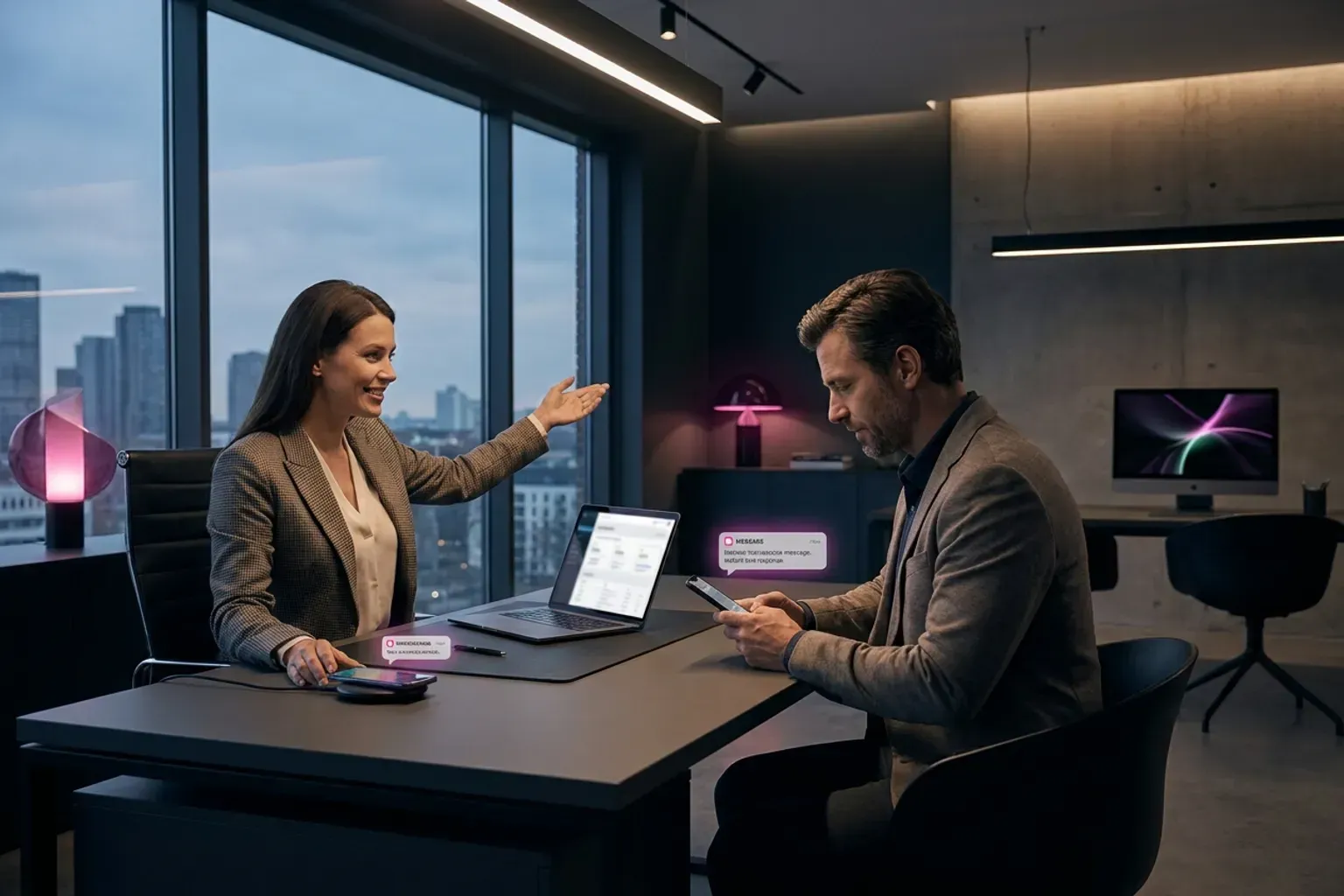
An automated text response for real estate leads delivers a personalized SMS within seconds of a new inquiry arriving from Zillow, Realtor.com, your IDX site, or a sign-rider code. It qualifies the prospect on budget, timeline, and pre-approval status, then books a showing on your calendar—all before a human agent touches the lead. The technology works around the clock, which matters because most portal inquiries arrive outside office hours.
Key takeaways
- Speed wins listings: responding to a lead within 60 seconds via text dramatically increases contact rates compared to waiting hours or days.
- Multi-channel beats single-channel: pairing SMS with voice and email covers every prospect preference and keeps you top-of-mind.
- Setup is same-day: platforms like Swiftleads AI require no ramp period and integrate with your CRM on day one.
- Compliance matters: you still need prior express written consent under TCPA before sending automated marketing texts.
- Swiftleads AI pricing is by custom quote. Scope depends on lead and call volume, channels, integrations, and workflow. Book for a quote; current commercial terms are confirmed in a written proposal.
Why does response time decide who wins the listing?
According to Rubixone.com (Real Estate Lead Response), responding to leads quickly can make or break a deal in real estate. The buyer who fills out a form on your listing at 9 PM is also filling out forms on two competing listings. The agent who replies first anchors the relationship.
In practice, the first sixty seconds of an inbound inquiry decide whether it books. A prospect who gets a near-instant text confirmation feels acknowledged. One who waits until the next morning feels forgotten—and has already spoken to a competitor.
Data from the National Association of Realtors (2023 Home Buyers and Sellers Generational Trends Report) shows that the majority of recent buyers used a mobile device during their home search. That means they are reachable by text the moment they inquire. An automated text response for real estate leads meets them on the channel already in their hand.
A 2012 speed-to-call benchmark study by Leads360 (now Velocify) (original Leads360 study) found that calling within one minute of an inquiry increased conversion by 391% compared to waiting even two minutes. While that study measured phone calls specifically, the underlying principle—first-mover advantage—applies equally to SMS.
What is an automated text response for real estate leads?
It is a workflow that triggers a pre-written or AI-generated SMS the instant a lead enters your system. The message acknowledges the inquiry, asks a qualifying question, and moves the conversation toward an appointment.
A basic version uses static templates: "Hi {first_name}, thanks for asking about {property_address}. Are you pre-approved?" A more advanced version uses AI to read the lead source, property details, and time of day, then generates a contextual reply.
Static templates vs. AI-generated replies
| Feature | Static template | AI-generated reply |
|---|---|---|
| Personalization | First name, property address | Full context: price range, neighborhood, buyer timeline |
| Qualification depth | One question per message | Multi-turn conversation covering budget, timeline, pre-approval |
| Scalability | Requires manual template updates | Adapts to new listings and lead sources automatically |
| Tone consistency | Identical every time | Identical call quality on every interaction |
| Setup complexity | Low—copy/paste scripts | Low with Swiftleads AI—same-day setup, no ramp period |
According to Birdeye.com (mass text service for real estate agents), a mass text service helps real estate agents reach multiple prospects and clients instantly, making it easier to share updates, promote listings, and stay connected throughout the buying or selling journey. That describes the broadcast side. An automated text response for real estate leads adds the inbound-trigger side: one-to-one replies fired by a new inquiry event, not a bulk send.
Step 1: Map your lead sources
List every channel that generates inquiries: Zillow, Realtor.com, your website IDX, Facebook lead ads, Google PPC landing pages, open-house sign-in sheets, and text-for-info sign riders. Each source needs a webhook, Zapier trigger, or native integration that pushes the lead into your automation platform.
According to Callaction.co (text for info real estate lead generation), text-for-info sign riders with a custom call-to-action are a proven method for capturing leads directly from yard signs. These leads are high-intent—they are standing in front of the property—and deserve an instant automated reply.
Step 2: Choose your automation platform
You need a system that handles SMS sending, conversation threading, AI qualification, calendar booking, and CRM sync. Swiftleads AI does all of this on a single platform with inbound lead response in under 60 seconds, 24/7/365 operation, and support for voice, SMS, email, and WhatsApp workflows.
The platform qualifies leads on the call or text thread covering budget, timeline, property type, and pre-approval status. It then books the appointment on the connected calendar without agent intervention.
Step 3: Write your initial message sequences
Even with AI-generated replies, you need to define the intent of each message in the sequence:
- Message 3 (next day): Provide a market insight or comparable sale to add value.
- Message 4 (day 3): Direct ask for an appointment with a calendar link.
Research from Surveypractice.org (Role of Automated SMS Text Messaging) found that sending a text message invite before a phone contact increased engagement compared to a cold call alone. The same principle applies here: lead with text, follow with voice.
Step 4: Set qualification logic
Define what "qualified" means for your brokerage. Common criteria:
- Pre-approved or working with a lender
- Budget aligns with your inventory
- Geographically within your service area
Swiftleads AI handles AI qualification on the call covering budget, timeline, property type, and pre-approval status. Leads that meet your criteria get booked directly; those that don't enter a nurture sequence.
Step 5: Connect your CRM and calendar
Every plan from Swiftleads AI includes CRM integration and calendar booking. The platform pushes the qualified lead record—including the full text conversation—into your CRM and drops a confirmed appointment on the agent's calendar.
On a typical call, the prospect states what they want before they give their address or budget. The AI captures that intent and routes accordingly. The same behavior applies in text threads: the first reply usually reveals whether the lead is a buyer, seller, or investor.
Step 6: Activate and monitor
Go live. Adjust your qualification logic and message sequences based on real conversations.
How much does an automated text response for real estate leads cost?
Below is the Swiftleads AI pricing breakdown for real estate teams:
How does this compare to hiring a human ISA?
Swiftleads AI operates 24/7/365 with same-day setup and no ramp period.
| Metric | Human ISA | Swiftleads AI |
|---|---|---|
| Annual cost | $50,000–$80,000 | Book for a quote |
| Hours of coverage | 8 hrs/day, 5 days/week | 24/7/365 |
| Call quality consistency | Varies by mood, training | Identical call quality on every call |
| Languages | 1–2 typically | 15+ supported |
The platform is 3–6× cheaper than a human ISA from day one.
What compliance rules apply to automated text response for real estate leads?
TCPA requires prior express written consent before you send automated marketing messages. For real estate, this means:
- The lead must opt in via a web form, text-for-info keyword, or sign-in sheet with clear disclosure.
- You must honor opt-out requests (STOP) immediately.
- You cannot text numbers on the Do Not Call registry for marketing without prior consent.
According to Ncrec.gov (Tech Corner: Using Chatbots & Automated Responses in Real Estate), regulators are paying attention to how automated tools are used in real estate communications. Make sure your disclosure language is clear on every form that feeds into your automated text response for real estate leads workflow.
In our experience, teams that skip the consent step eventually face carrier filtering or worse—a TCPA lawsuit with statutory damages per unsolicited message. The fix is simple: add a checkbox and disclosure sentence to every lead capture form.
What are the limitations of automated text responses?
You still need a licensed agent to take over once the conversation moves past qualification into advisory territory.
The handoff point matters. Set your automation to route to a human when:
- The lead asks a legal or tax question
- The lead expresses frustration or emotional distress
- The conversation exceeds a set number of turns without booking
Swiftleads AI's CRM integration ensures the full conversation history transfers to the agent, so the prospect never repeats themselves.
Timing rules that work
- Reply within 60 seconds of inquiry. Swiftleads AI delivers inbound lead response in under 60 seconds.
Personalization signals that increase reply rates
- Use the property address or neighborhood name in the first message.
- Reference the lead source: "I saw you were looking at 123 Oak St on Zillow."
- Match the time of day: "Good evening" at 9 PM, not "Good morning."
- Ask one question per message—multiple questions reduce reply rates.
According to Sierrainteractive.com (Real Estate Text Message Scripts), real estate agents need to stand out to capture and convert leads effectively. Personalized, timely text messages are one of the highest-leverage tools available.
How does automated text response for real estate leads fit into a multi-channel workflow?
Text alone is not enough. The highest-performing follow-up sequences combine SMS, voice, and email in a coordinated cadence. Swiftleads AI includes multi-channel follow-up on every plan: voice, SMS, email, and WhatsApp workflows.
Here is a sample 72-hour sequence:
| Time after inquiry | Channel | Action |
|---|---|---|
| Next morning | SMS | Market insight or comparable sale |
| Day 2 | Voice | Second call attempt |
| Day 3 | SMS | Direct booking link |
According to Nextctl.com (Real Estate Marketing Automation), timely, relevant follow-ups boost inquiry-to-viewing rates and faster response times increase closed deals. The multi-channel approach ensures you reach the prospect on whatever channel they prefer.
What results can you expect from automated text response for real estate leads?
According to Kyzo.ai (Real Estate Lead Follow-Up Automation), if each missed lead represents $7,500 or more in lost commission, and real estate lead follow-up automation recovers just two to three leads per month that would otherwise have gone cold, that represents $15,000–$22,500 in recovered revenue monthly against a software cost that typically runs in the hundreds of dollars.
Assume a hypothetical solo agent closing at a 2% conversion rate on 100 monthly leads.
We've seen agents who previously let leads sit overnight in their CRM start booking showings at 11 PM simply because the AI replied while they slept. The leads were always there; the speed was not.
Getting started today
The fastest path to deploying an automated text response for real estate leads is:
- Audit your current response time. Pull your CRM data and check the median minutes between inquiry and first reply.
- Map your lead sources and confirm each has a webhook or integration available.
- Swiftleads AI capacity, included usage, and implementation scope are confirmed in your proposal. Book for a quote.
- Go live same-day. Swiftleads AI requires no ramp period.
The cost of inaction is measurable. Every hour you delay responding to a lead, a competitor is already texting them. Every night your phone is off, buyers are browsing and inquiring. An automated text response for real estate leads closes that gap permanently.
Get a demo and see the platform respond to a test lead in under 60 seconds.
Frequently asked questions about automated text response for real estate leads
Is automated texting legal for real estate?
Yes, provided you have prior express written consent from the lead. Every form that feeds into your automation must include clear TCPA disclosure and an opt-in mechanism.
How fast does the first text go out?
Swiftleads AI delivers inbound lead response in under 60 seconds, 24/7/365.
Can I customize the messages?
Yes. You define the qualification logic, tone, and sequence structure. The AI generates contextual replies within those guardrails.
What happens when a lead needs a human?
The system routes to a live agent via CRM notification or direct transfer when the conversation exceeds qualification scope.
Does it work with my existing CRM?
Every Swiftleads AI plan includes CRM integration. The platform pushes lead records and full conversation history into your system automatically.
How to test message sequences before going live
Run a controlled pilot with 50–100 leads before deploying to your entire database. Create two message variants—one that opens with a question about property type and timeline, another that leads with availability for a call. Route leads randomly between the two and track reply rate, qualification rate, and appointment set rate over seven days. This A/B structure reveals which opener resonates with your specific market without risking your entire funnel on untested copy.
Monitor carrier filtering during the pilot by sending a manual follow-up text from your personal number to non-responders after 48 hours. If they reply instantly to your personal message but ignored the automated sequence, your automation number may already be flagged as spam. Carriers like T-Mobile and AT&T apply aggressive filters to high-volume SMS traffic, especially from toll-free numbers or shared short codes. If more than 15% of your pilot group shows this pattern, switch to a local area code or use number rotation before full deployment.
Check your message rendering across device types. Android and iOS handle line breaks, emojis, and character limits differently. A message that looks conversational on iPhone may appear as a wall of text on Samsung devices. Send test messages to team members using different carriers and operating systems, then adjust formatting based on how the text actually displays in each environment.
When to escalate from automation to human outreach
Define explicit handoff triggers in your workflow logic. If a lead replies with a question your template library cannot answer, route the conversation to a human within five minutes during business hours. Common escalation signals include requests for specific property addresses, questions about commission structure, mentions of competing agents, or any message containing words like "contract," "offer," or "closing date." These indicate high intent and require nuanced responses that static automation cannot deliver reliably.
Set a reply-count threshold for automated engagement. After three back-and-forth exchanges, human takeover improves conversion more than continued automation. Leads who engage through three replies have demonstrated genuine interest and expect progressively detailed answers. Continuing with templated responses at this stage creates friction and signals that no real person is monitoring the conversation.
Use sentiment detection to flag frustrated leads. If a reply contains phrases like "stop texting me," "not interested anymore," or "this feels automated," immediately pause the sequence and either escalate to a human for recovery or suppress further contact. Forcing additional automated messages onto a lead who has expressed irritation damages your brand and risks compliance violations under TCPA regulations.
How to maintain message quality as your database grows
Audit your template library quarterly as market conditions shift. A message sequence optimized for a seller's market in 2024 will underperform in a buyer's market in 2026. Review your top-performing and worst-performing message variants every 90 days, retire templates with sub-20% reply rates, and test new openers that reflect current inventory levels, interest rate environment, and buyer urgency signals your agents report in the field.
Segment your automation by lead source and lifecycle stage. Zillow leads require different messaging than sphere-of-influence referrals. A cold Facebook lead generation contact expects educational nurture content, while a past client reaching out after two years needs immediate appointment-setting language. Running the same sequence across all sources dilutes relevance and wastes high-intent opportunities. Build at least three distinct message tracks—cold acquisition, warm nurture, and hot reactivation—and route leads accordingly based on source tags in your CRM.
Rotate message content to avoid pattern detection by spam filters. Sending identical text to 200 leads in one hour triggers carrier-level throttling. Introduce variable fields beyond first name—reference the specific city, property type, or lead source in your opener. Use synonym rotation for key phrases so "schedule a call" alternates with "book a time to chat" and "set up a quick conversation" across different sends. This variation keeps your messages under the radar of automated filtering systems while maintaining consistent meaning.
What to do when reply rates decline over time
Investigate deliverability first before blaming message content. Log into your SMS platform and check your delivery reports. If your "delivered" rate drops below 95%, you have a carrier relationship problem, not a copywriting problem. Contact your platform's support team to verify your number reputation score and confirm you are registered with carrier filtering databases. Unregistered numbers see delivery rates collapse within weeks of launching high-volume campaigns.
Refresh your opening hook every 30 days even if performance remains stable. Leads who receive similar messages from multiple agents develop pattern blindness. An opener that worked in January may feel stale by March simply because competing agents have adopted similar language. Test openers that reference hyper-local details—a new development breaking ground, a school district boundary change, or a recent neighborhood sale that made news. Specificity cuts through generic "just checking in" fatigue.
Reduce message frequency if reply rates fall but unsubscribe rates remain low. Leads may still be interested but feel overwhelmed by your cadence. Drop from twice-weekly touches to once weekly for 30 days and measure whether reply rates recover. Some markets and demographics prefer slower nurture cycles, and over-messaging trains leads to ignore your number entirely.