CINC Pro integration for Swiftleads AI, 60-sec response
 by Parvez Zoha
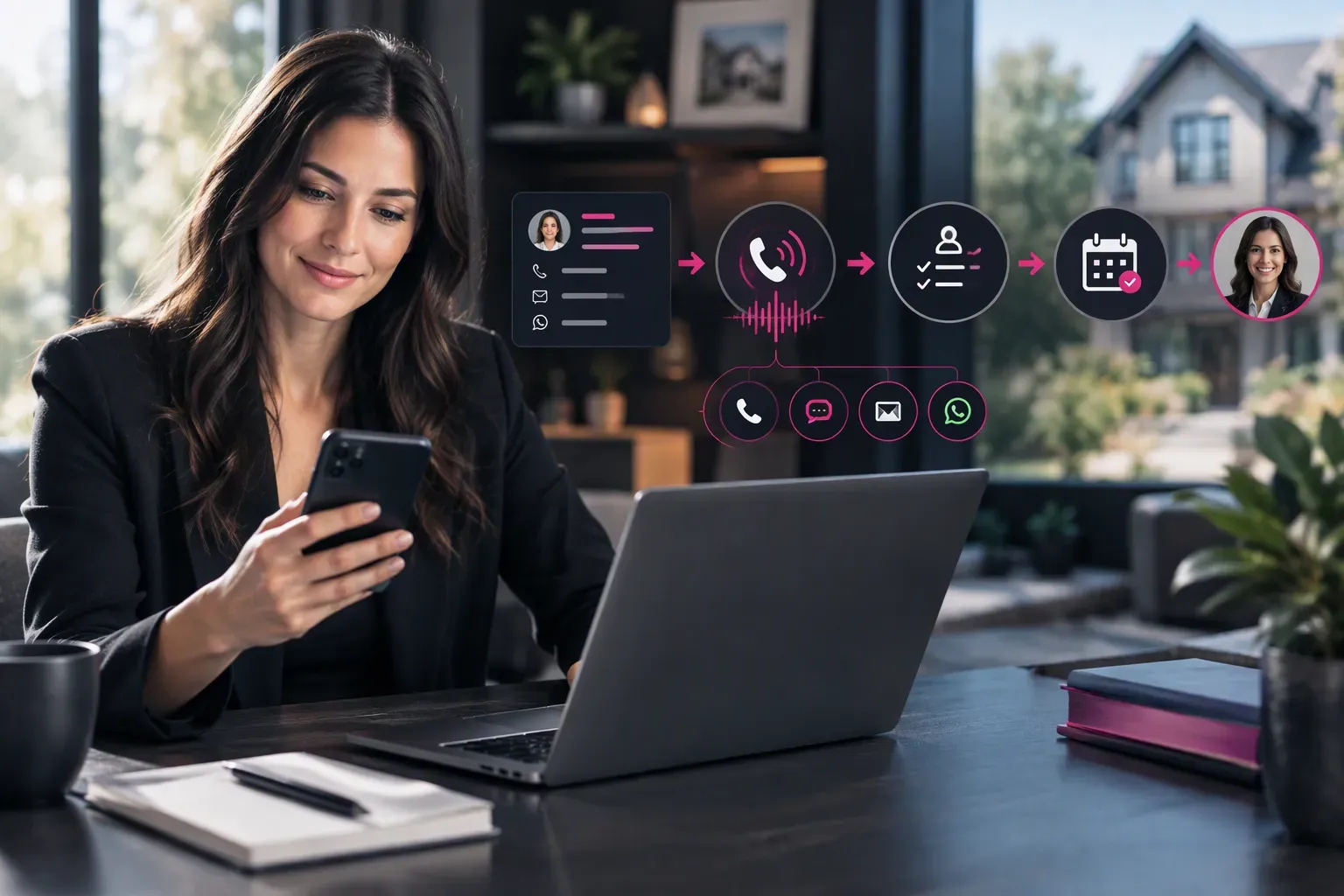
Design the CINC Pro integration for Swiftleads AI to turn each new CRM inquiry into voice follow-up, qualification, and calendar booking. Swiftleads AI responds to inbound leads in under 60 seconds, works across voice, SMS, email, and WhatsApp, and connects the conversation to a CRM workflow for the next human step.
Key takeaways
- Connect lead context to a clear response, qualification, booking, and handoff path.
- Use voice for live qualification, then SMS, email, or WhatsApp for the next step.
- Capture the contact's goal, property context, timeline, availability, budget, and pre-approval status.
- Define ownership, consent, field mapping, calendar rules, escalation, and channel fallback before launch.
- Treat the available CINC-related pages as workflow context, not proof of a native Swiftleads AI connector.
Slow follow-up is not just a speed problem. It is a handoff problem. A lead sits in the CRM, an agent sees it later, and the contact repeats the same details. A useful integration removes that gap by giving the response layer enough context to act and giving the agent a clean next step.
What should the CINC Pro integration for Swiftleads AI do?
In this design, treat CINC Pro as the place where lead context and ownership are managed. Treat Swiftleads AI as the response and qualification layer. Before promising a direct connector, confirm how the CINC Pro environment passes records into the CRM integration, what fields return, which permissions are required, and who owns exceptions.
The first design decision is the lead event, not the script. Define what enters the workflow: a buyer inquiry, seller inquiry, property question, form submission, or callback request. Then define what happens when the record lacks a phone number, has an existing owner, or already has an open conversation.
Define the lead event before writing the prompt
A lead trigger should carry enough information to identify the person, explain why the workflow started, and determine whether contact is appropriate. A new inquiry may need an immediate response, while a record already in an active conversation may need a note or task instead of another automated call.
The trigger should also distinguish a new lead from an updated record. If a contact changes a preferred appointment time or replies to an earlier message, the workflow should continue the existing conversation rather than create a competing path. These states belong in the integration design even when the final decision is to send the record to a human.
Set ownership at trigger time
Define what happens when an agent is assigned, when the assigned agent is unavailable, and when a lead has no owner. Set a clear fallback queue. Without that rule, the workflow can complete a call while responsibility for the next step remains unclear.
Design a useful CINC Pro integration for Swiftleads AI around clear operational decisions:
| Workflow element | Definition | Failure it prevents |
|---|---|---|
| Lead trigger | Which inquiry starts the workflow | New leads sitting without an action |
| Context | Which CRM fields reach the conversation | Repeated questions and weak qualification |
| Response path | Voice, SMS, email, or WhatsApp action | Follow-up trapped in a single channel |
| Next step | Booking, callback, showing, or human handoff | Qualified contacts losing momentum |
| CRM result | Status, owner, notes, and consent state | Agents working from stale information |
Swiftleads AI responds to inbound leads in under 60 seconds.Finding: Lead response is an integration property, not just a phone feature. A fast call still creates work when the trigger, context, and handoff are undefined.
The objective is not to make the voice workflow own every lead. The objective is to make the next action obvious. A buyer who wants a showing needs a booking path. A seller who wants a valuation needs an agent callback. A contact with unclear intent needs a human review rather than a generic sequence.
How should you map the CINC Pro integration for Swiftleads AI?
Build the CINC Pro integration for Swiftleads AI around a field contract, not a loose export. The contract states which fields the workflow reads, which answers it collects, and which results it sends back. This gives the brokerage a shared definition of a qualified lead.
Separate read fields from write-back fields
Start with identity. Map the contact name, phone number, email address, preferred channel, assigned agent, and consent state. Then map intent: buyer, seller, property inquiry, or another request. Property context can include the address or listing reference, property type, location, and details already supplied by the contact.
Next, map timing and availability. A contact who wants help now needs a different route from someone planning a future move. Availability also matters for booking. The workflow needs to know when the contact can speak, when an agent can meet, and which calendar owns the appointment.
Swiftleads AI's qualification workflow covers budget, timeline, property or job type, and pre-approval status. For a real-estate brokerage, add the contact's goal, property context, and availability to that core. Do not make the caller repeat information already stored in the CRM.
Make blanks and conflicts explicit
A blank answer should not be treated as a negative answer. If a contact declines to discuss budget, record that distinction rather than writing an empty field that looks like missing data. If the contact gives conflicting information, preserve the latest confirmed answer and flag the conflict for review.
The field contract also needs ownership rules. Define what happens when an agent is assigned, when the assigned agent is unavailable, and when a lead has no owner. Set a clear fallback queue. Without that rule, the workflow can complete a call while the responsibility for the next step remains unclear.
The integration should write back more than a generic “contacted” status. A useful result includes the stated intent, important qualification answers, requested next step, booking status, owner, consent state, and escalation reason. If the CRM cannot accept a structured value, agree on a consistent note format and test how agents will search and filter it.
| Field group | Voice workflow use | CRM action |
|---|---|---|
| Contact identity | Address the contact correctly and preserve continuity | Match the existing record |
| Lead intent | Select buyer, seller, property, or callback path | Apply the correct status |
| Property context | Avoid repeated questions and focus qualification | Save relevant details |
| Budget and readiness | Understand fit and financing position | Support agent prioritization |
| Timeline and availability | Select urgency and booking options | Set the next action |
| Ownership and consent | Route safely and respect contact preferences | Record responsibility and permission |
Finding: A field map prevents the voice workflow from becoming another isolated inbox. Every answer needs a destination, an owner, or a deliberate reason to remain outside the CRM.
How does voice qualification work for real-estate leads?
Voice qualification works when each answer changes what happens next. It fails when the agent or automated workflow asks a long list of questions without a routing purpose.
On a typical call, the caller explains the reason for reaching out before giving a full property history. Start with that reason. Ask whether the contact is buying, selling, asking about a property, or seeking a callback. Then move to the details that determine the next step.
Use call states instead of a long questionnaire
A practical call has clear states:
- Opening: Confirm the person and explain why the call is taking place.
- Intent: Identify whether the contact is buying, selling, asking about a property, or seeking assistance.
- Qualification: Collect only the information needed for routing or booking.
- Next step: Offer a consultation, showing, callback, nurture path, or human transfer.
- Confirmation: Repeat the agreed action and record the outcome in the CRM.
Swiftleads AI qualifies inquiries on the call using budget, timeline, property or job type, and pre-approval status. For real-estate teams, connect those answers to practical actions. A buyer with a clear timeline and financing position can move toward a consultation or showing. A seller asking for a valuation can move toward an agent callback. A vague inquiry can enter a nurture path with clear ownership.
Keep each prompt easy to answer. Use plain language. Ask one decision at a time. Confirm important details before booking. If the contact corrects the property type, timeline, or preferred time, the final record needs the corrected answer rather than the original response.
In a single buyer-call walkthrough, I look for a natural transition from the contact's goal to the qualification fields. If the caller asks about a property and volunteers a preferred viewing time, the workflow should not restart with a generic introduction; it should use the supplied context and move toward availability.
Define exit conditions
A strong workflow also handles uncertainty. The contact can decline to answer, ask a question outside the script, or request a person. Those responses are not failures. They are routing signals. Send them to an agent with the context already collected.
Set an explicit exit condition for each route. A booked appointment should end the booking sequence. A request for an agent should end automation or move it into a clearly labeled human queue. A failed calendar search should produce a callback task rather than repeated booking prompts.
Swiftleads AI provides automatic appointment booking on the connected calendar.Finding: Qualification is useful only when each answer changes the route, the booking choice, the owner, or the follow-up message.
Where should the CINC Pro integration for Swiftleads AI hand off?
When we design a handoff, we treat it as a complete transfer of responsibility rather than a notification. The agent needs the lead identity, stated goal, property context, qualification answers, requested next step, and reason for escalation.
Build a human-ready handoff packet
A useful handoff note should let an agent understand the conversation without replaying the entire call. Include the contact's preferred channel, the information confirmed during the conversation, the information the contact declined to provide, the action requested, and any promise made by the workflow.
In a seller-call walkthrough, I listen for whether a valuation request becomes an actionable callback rather than a vague note. The agent should know that the contact wants a valuation, which property is involved, when the contact is available, and whether the request needs an immediate personal response.
Keep human judgment in the workflow for situations such as:
- Negotiation, pricing strategy, or commission questions.
- Distressed contacts, complaints, or emotionally charged conversations.
- Legal, tax, lending, or compliance questions.
- Property details that are missing, conflicting, or unusually specific.
- A request for an agent, even when the contact appears qualified.
- Calendar conflicts, failed bookings, or unclear ownership.
Automatic appointment booking works when the connected calendar has clear ownership and availability rules. Define the meeting type, eligible calendar, booking permissions, and fallback when no suitable slot exists. A booked appointment without an accountable agent is not a completed handoff.
Ask whether the CRM receives the qualification outcome, booking status, assigned owner, and escalation reason. Do not assume that a successful call automatically gives the agent enough context. Test the actual record created after each workflow path.
Finding: A handoff is complete only when a human knows what happened, what the contact wants, and what action belongs to that human next.
Which channels belong in the follow-up workflow?
Swiftleads AI supports voice, SMS, email, and WhatsApp workflows. Each channel has a different job, so use a channel plan rather than sending the same message everywhere.
Give each channel a defined job
Use voice for live qualification and urgent questions. Use SMS for a concise confirmation, callback detail, or calendar reminder. Use email when the contact needs information that is easier to review later. Use WhatsApp where the contact has consented and the brokerage uses the channel as part of its normal process.
For the CINC Pro integration for Swiftleads AI, preserve the same lead identity and consent state across every channel. That lets the brokerage see whether the contact spoke by voice, received a text, replied by email, or continued in WhatsApp.
Swiftleads AI operates 24/7/365 and supports unlimited inbound calls.
The response layer operates around the clock and responds to inbound leads in under 60 seconds. That helps the workflow begin promptly, but channel selection still needs rules. A contact who asks for a person should not receive a long automated sequence. A contact who has already booked should not receive a conflicting booking prompt.
Review language and consent together
Swiftleads AI supports 15+ languages. Multilingual workflows still need review. Confirm that the qualification prompts, booking language, consent language, escalation wording, and human handoff work in every supported language the brokerage plans to use.
Consent should travel with the contact record, not live only in the channel transcript. Define what the workflow may do when consent is absent, withdrawn, or limited to a particular channel. Also specify how an agent sees that state before sending a manual message.
Finding: Multichannel follow-up works when every channel shares the same record, intent, consent state, and next action.
What do the available CINC sources actually prove?
Public pages answer different questions, so separate connector evidence from workflow ideas and vendor claims.
According to Cincsystems.com Industry (Industry Report), the page asks visitors for a first name, last name, work email, and current CINC client or user status.
Data from Swiftask.ai CINC Lead Prioritization Boost (CINC Lead Prioritization: Boost Sales Performance with Swift AI) presents a results table covering qualification time, conversion rate, and processing delay.
Published by Swiftask.ai Automate Your CINC Lead (Automate your CINC lead nurturing with AI), the page describes an integration with CINC to automate nurturing campaigns.
Those pages do not establish a native Swiftleads AI connector, Swiftleads AI pricing, or Swiftleads AI performance results. Use them as context for the type of workflow under discussion, not as proof of a Swiftleads AI capability. The CINCsystems.com page may also be useful as an intake reminder, but a form asking for contact and user-status information is not CRM schema documentation.
Ask for direct confirmation of the connector path, supported fields, permissions, event triggers, write-back behavior, consent handling, and failure response. A vendor conversation should distinguish an existing integration from a configurable workflow, a referral process, or a future roadmap item.
Finding: A page about a CINC workflow is not evidence of a Swiftleads AI feature. Keep vendor identity and product evidence separate in the buying process.
How do you test the CINC Pro integration for Swiftleads AI?
In our experience, teams test the happy path and miss the exceptions. A production review needs successful, incomplete, conflicting, and human-requested conversations.
Test state changes, not just conversations
Test the lead trigger first. Create a new inquiry and confirm that the correct record enters the workflow. Check that an existing owner remains visible and that duplicate records do not create confusing follow-up. Verify that a missing phone number or invalid contact preference routes to a defined fallback.
Test the qualification path next. Use buyer, seller, property, callback, unclear-intent, and human-request scenarios. Check that the answers for budget, timeline, property type, and pre-approval status reach the right record. Confirm that corrections overwrite or clarify the original answer rather than leaving conflicting notes.
During a test call, I deliberately provide a corrected timeline and then ask for a human. The pass condition is not merely that the voice conversation sounds natural; it is that the corrected value, escalation request, and ownership state appear together in the CRM.
The inbound response target is under 60 seconds. Test that response path during the operating conditions the brokerage expects, then test channel fallback, calendar failure, and agent escalation. Check that voice quality remains identical from call to call and that multilingual prompts follow the approved script.
Verify the record an agent actually receives
A workflow can sound successful while writing an incomplete record. Open the resulting CRM entry and check the field values, note structure, owner, consent state, next action, and appointment status. Test what an agent sees when the call ends without a booking, when the contact asks for a callback, and when the calendar has no suitable availability.
| Test area | Pass condition | Escalation owner |
|---|---|---|
| Lead trigger | The correct record starts the correct workflow | CRM owner |
| Field mapping | Answers appear in the intended fields | Integration owner |
| Qualification | Each response creates a clear route | Sales owner |
| Calendar | The right calendar accepts the right booking | Scheduling owner |
| Human handoff | The agent receives context and responsibility | Brokerage manager |
| Channel fallback | The contact receives the approved next action | Operations owner |
| Data governance | Consent and access rules remain intact | Compliance owner |
Swiftleads AI offers identical call quality on every call.Finding: Integration testing is complete only when the workflow handles missing data, conflicting answers, failed bookings, and human requests without losing ownership.
What belongs in rollout, and what should stay human?
A real limitation of AI voice follow-up is that repeatable intake is easier to automate than judgment. Voice automation can collect intent and qualification details, but it does not replace an experienced agent for negotiation, distress, legal or tax questions, unusual property details, or emotionally charged calls.
Keep the human role explicit. Agents should own advice, negotiation, exceptions, and relationships. The automated workflow should own the prompt response, structured qualification, calendar action, and clear routing. That division gives the team speed without pretending every conversation has the same shape.
Roll out by workflow, not by channel
The final CINC Pro integration for Swiftleads AI brief should include the trigger, field map, approved prompts, qualification rules, channel sequence, consent language, calendar rules, handoff conditions, CRM results, exception owner, and test plan. Include the supported languages and the rules for after-hours conversations. Keep the brief readable enough for sales, operations, and compliance to review together.
Same-day setup with no ramp period is a stated Swiftleads AI product fact, but a fast setup does not remove the need for workflow approval. Start with a clearly bounded lead type, document the pass conditions, and expand only after agents can find and trust the resulting records.
Swiftleads AI is described as SOC 2 and GDPR compliant. Confirm how those commitments apply to the proposed CRM connection, call recordings, transcripts, channel messages, access permissions, retention rules, and any third-party calendar or messaging service.
Swiftleads AI pricing is quote-only. Plans are tiered by daily call volume. Every plan includes multi-channel follow-up, CRM integration, and calendar booking; higher tiers include more voice minutes, more concurrent calls, and more AI agents. Do not infer a price from another vendor or assume that a higher tier is needed before the workflow is defined.
The right commercial next step is a short fit review and quote. Bring the CINC Pro field list, lead types, calendar rules, handoff policy, consent requirements, and channel requirements to the conversation. When the workflow is ready, Book a discovery call.